How vault recovery works
If the owner of an opn.io vault loses their key, a trusted guardian can hand the vault to a new key — after a waiting period the owner can always cancel. This page walks through the real thing, step by step, using the actual screens.
The three roles
Owner
The person whose key normally controls the vault. Gets alerted the moment a recovery starts and can cancel it.
Guardian
A trusted person or key the owner chose in advance. Only a guardian can start a recovery. Cannot make itself the new owner.
New owner key
The key the vault will belong to after recovery — one the rightful owner controls again.
What a guardian needs
The vault address
The 0x… address of the vault to recover, and which network it lives on.
Their guardian wallet
A browser wallet (e.g. MetaMask) holding the guardian key, with a little native gas on that network — this one transaction is not sponsored.
The new owner address
The address the owner wants the vault recovered to. Must not be a guardian.
Starting a recovery — as the guardian
-
Load the vault
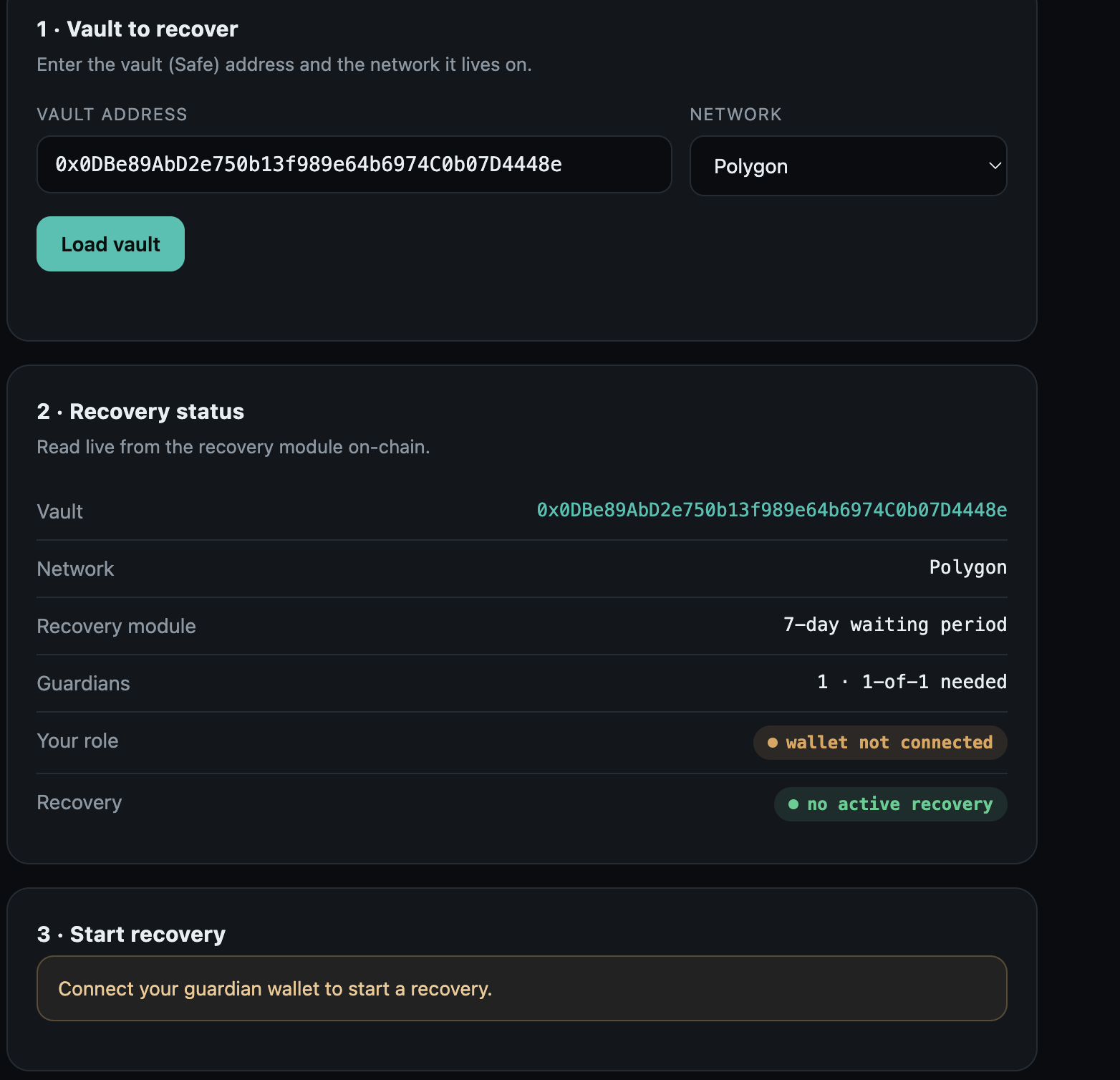
Open the recovery tool, paste the vault address, choose the network, and press Load vault. The tool reads the vault's recovery setup live from the chain: which waiting period applies, how many guardians there are, and whether a recovery is already running.
-
Connect your guardian wallet
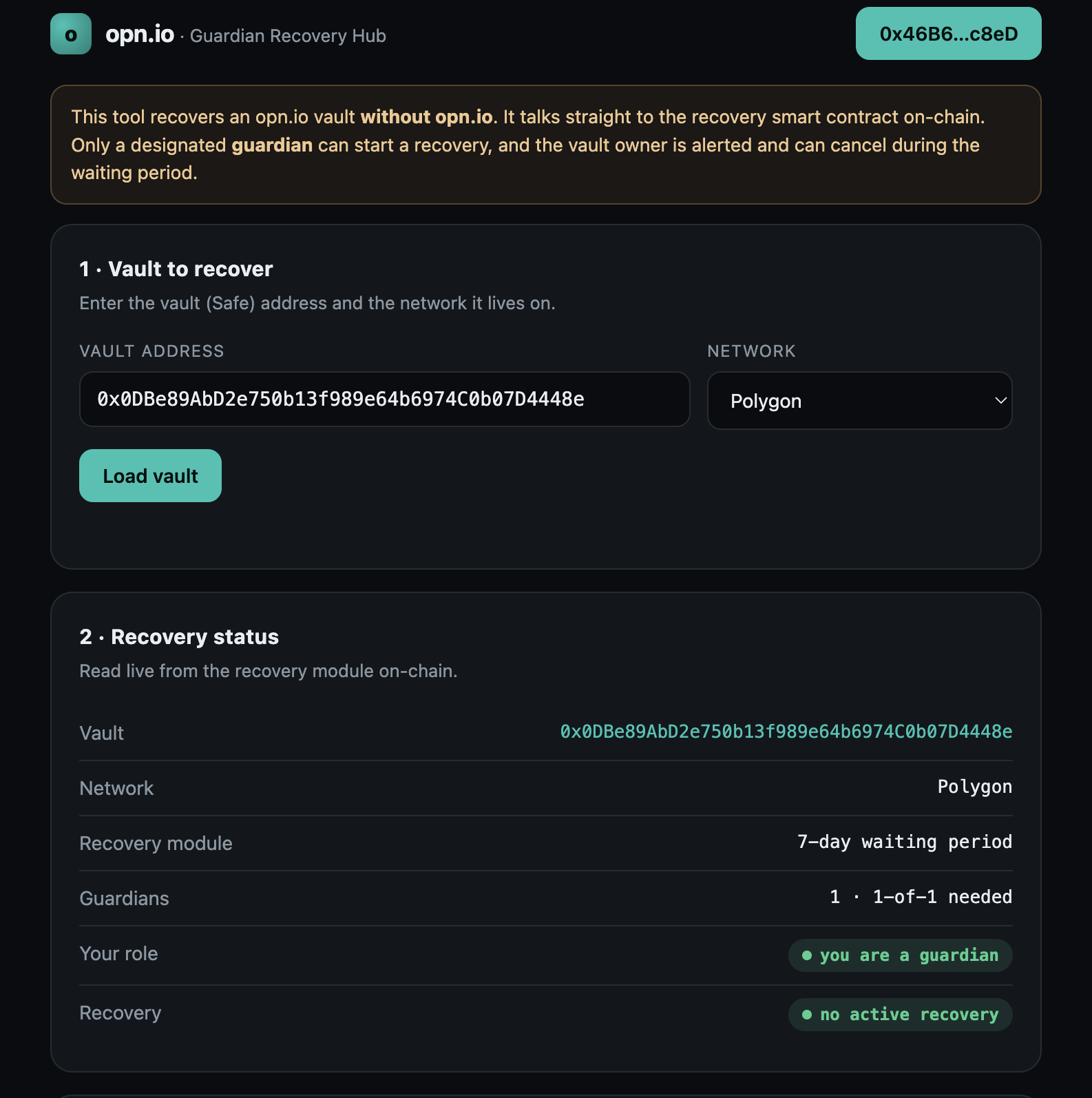
Press Connect wallet and pick the account that is the guardian. The tool confirms it on-chain — the role badge must read you are a guardian. Any other wallet is read-only and cannot start anything.
-
Enter the new owner and start
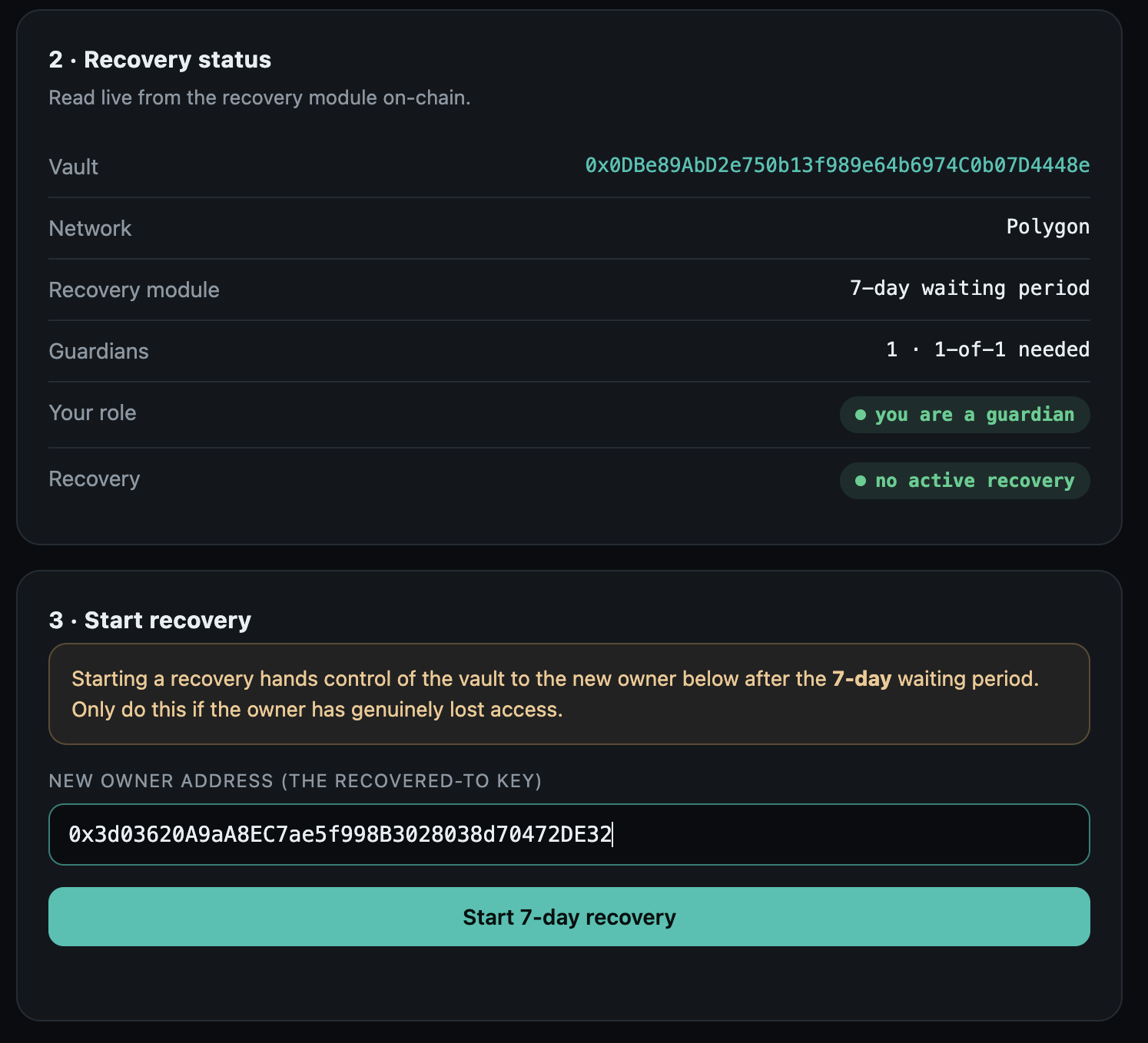
Paste the address the vault should belong to after recovery, then press Start recovery. The tool refuses a guardian's own address — a guardian can never quietly take the vault for itself.
-
Confirm in your wallet
Your wallet asks you to sign one transaction to the recovery contract. It shows No changes to your balances — it only registers the request. The guardian pays the small network fee. Your wallet may show a "first interaction" or "unknown address" notice: expected for a contract it has not seen before.
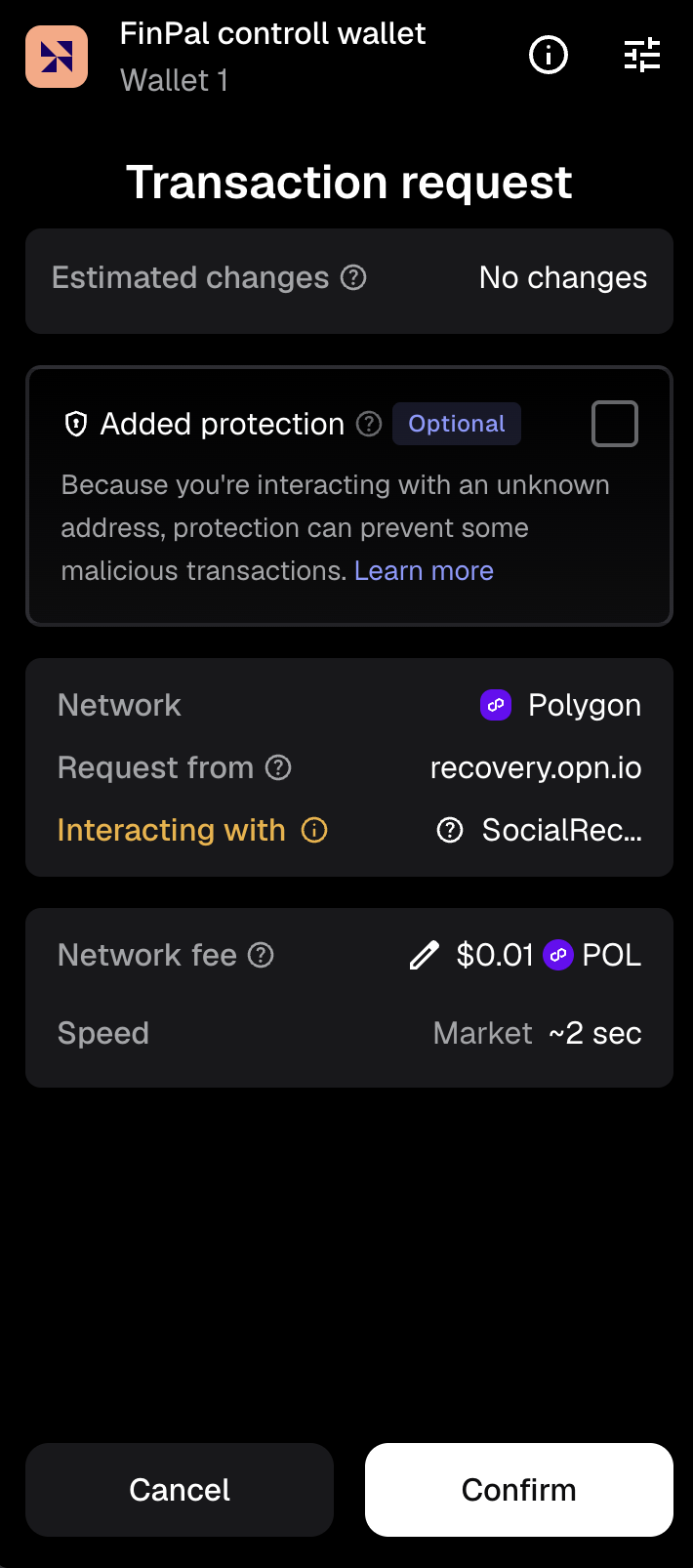
The signing request — network, contract and fee.
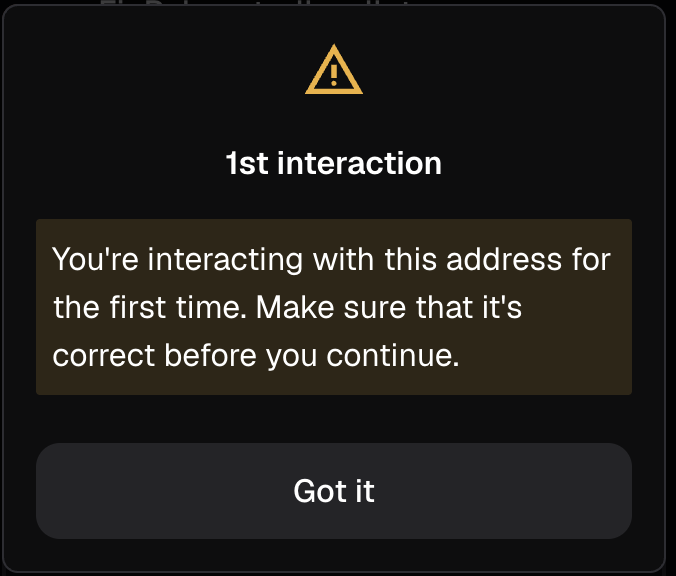
A normal first-time notice.
Done.
-
The waiting period begins
The recovery is now registered on-chain. The tool shows the new owner, the exact time it becomes executable, and a live countdown. Nothing changes yet — this is the window in which the owner can cancel.
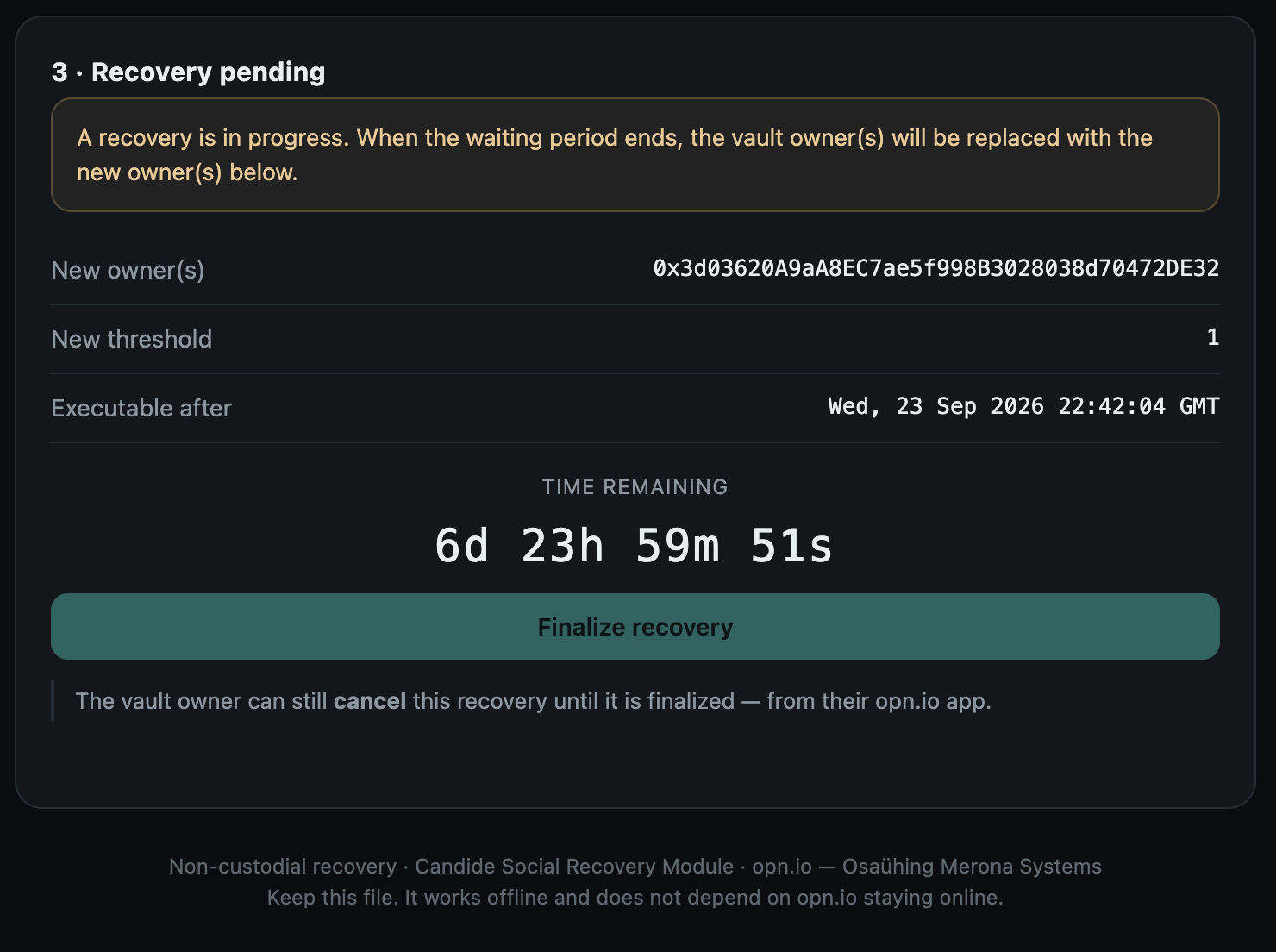
What the owner sees — and how to cancel
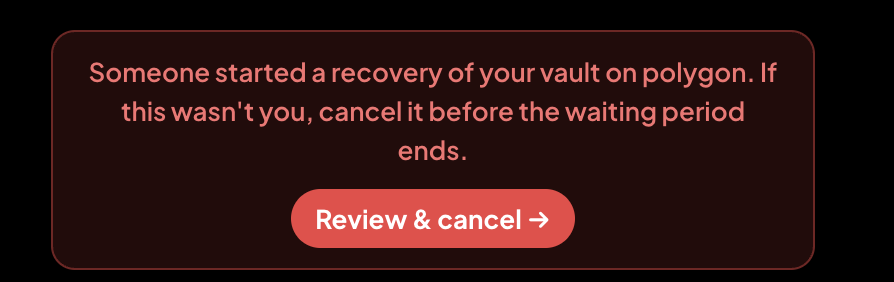
The moment a recovery starts, the owner is alerted in the opn.io app and by push notification. A red banner stays on their wallet screen until they act — stopping an unwanted recovery takes three taps.
-
The alert
A red banner on the wallet screen says exactly what happened and what to do. Tap Review & cancel.
-
Review it
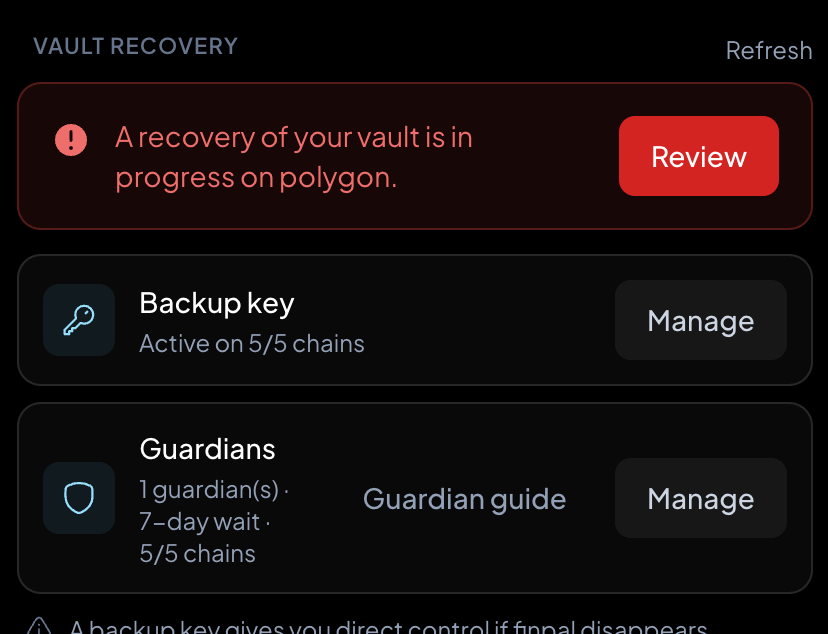
The Vault Recovery section shows the active recovery next to your backup key and guardians. Tap Review.
-
Cancel — or keep it
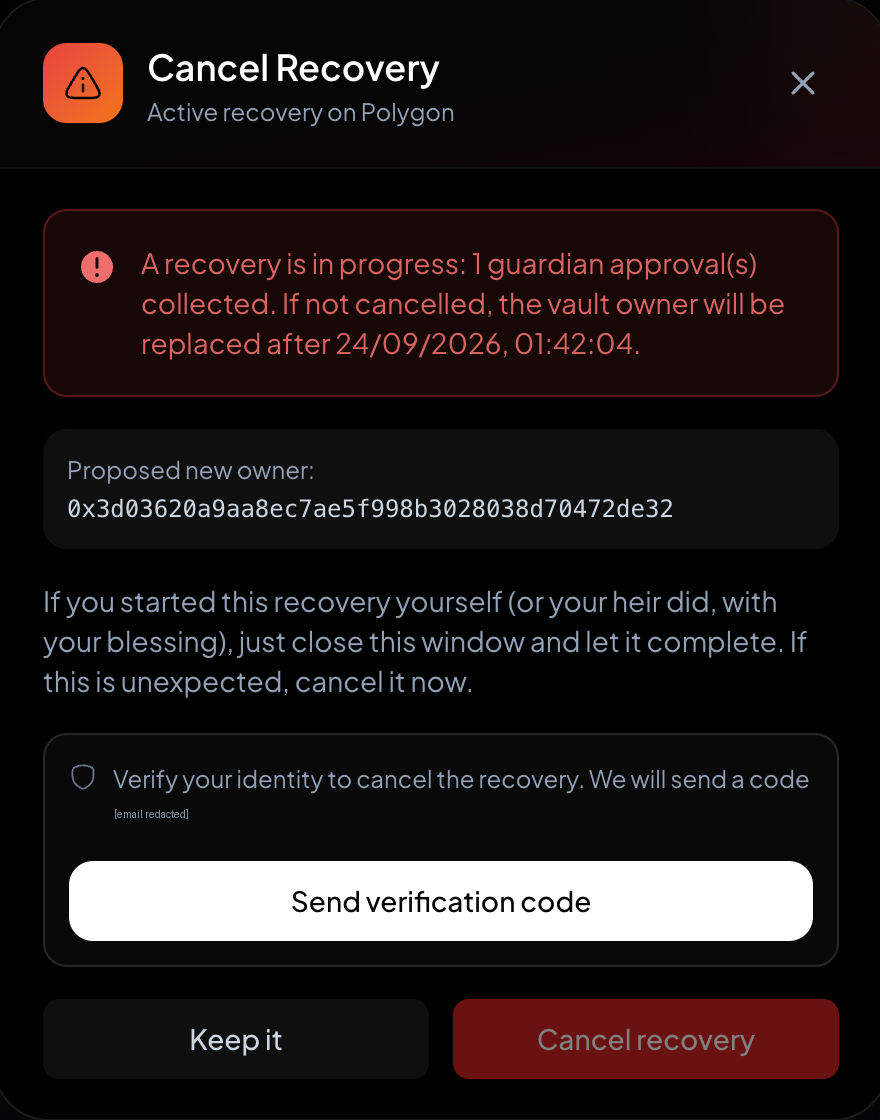
You see who would become the new owner and exactly when. If you didn't ask for this, verify your identity and tap Cancel recovery — it's instant and the vault stays exactly as it was. If it was you (you lost your key), tap Keep it and let the waiting period run.
After the waiting period
Once the countdown reaches zero and the owner has not cancelled, reopen the recovery tool, load the vault, and press Finalize recovery. Anyone can send this transaction. The vault's owner key is replaced by the new owner key, and the rightful owner is back in control — no opn.io involved at any point.
Why this is safe
Only guardians can start it
Everyone else is read-only. Guardians are chosen by the owner in advance.
Time-locked
Nothing takes effect for the full waiting period (3, 7 or 14 days — the owner's choice).
Owner can always cancel
One tap, any time before it finalizes. A malicious guardian gets nowhere.
Guardian can't self-deal
The contract rejects a guardian as the new owner.